1. Click on the APPLICATIONS access button
2. Click on SETTINGS
3. Under WIRELESS & NETWORKS, press MORE
4. Press MOBILE NETWORKS
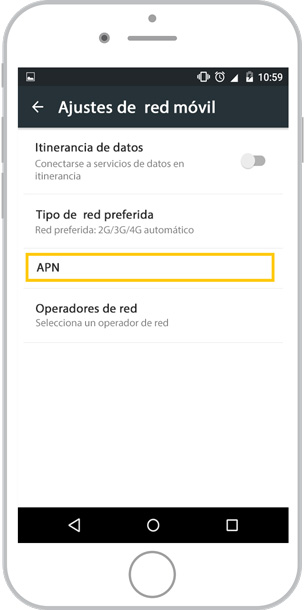
5. Press APN
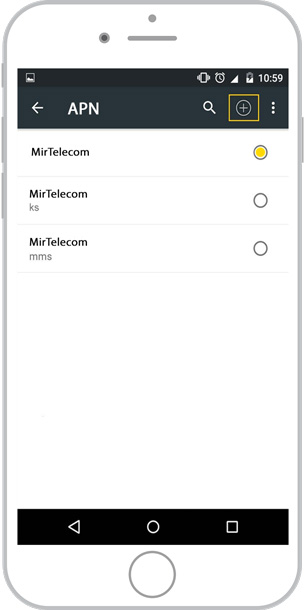
6. Click on the ADD icon
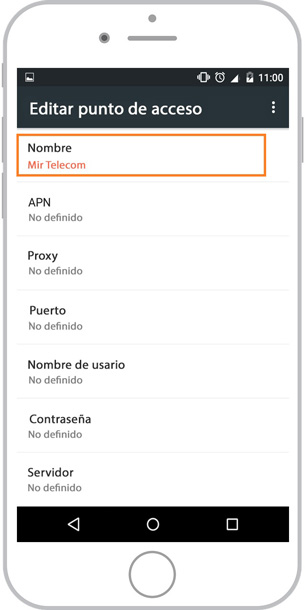
7. Enter NAME: MirTelecom
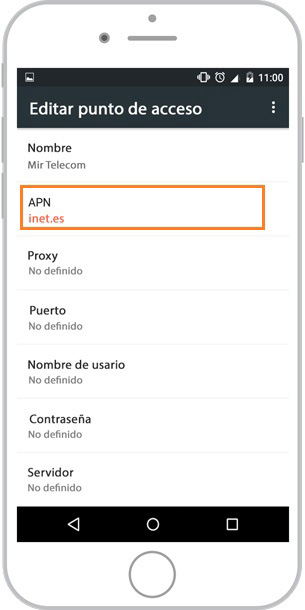
8. Enter APN: inet.es
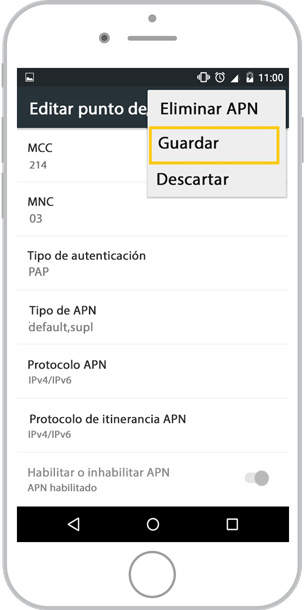
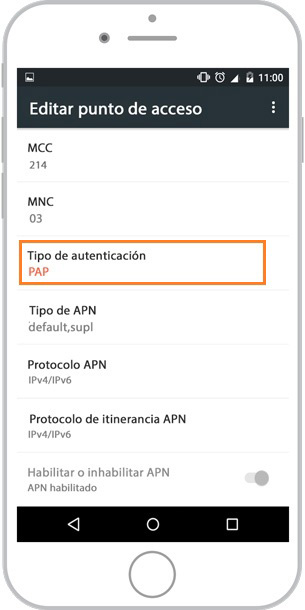
9. Select AUTHENTICATION TYPE: PAP
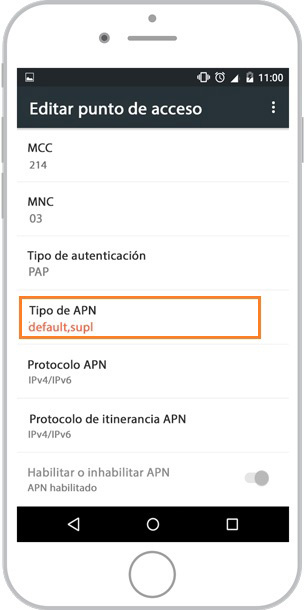
10. Enter APN TYPE: default, supl
11. Press SAVE
1. Click on the APPLICATIONS access button
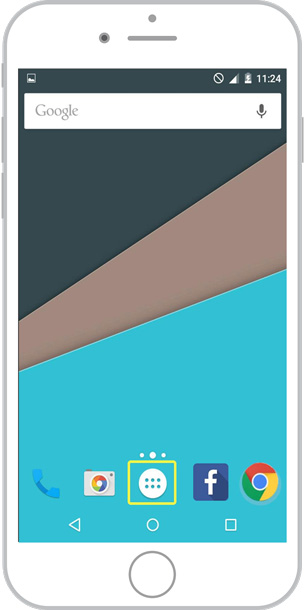
2. Click on SETTINGS

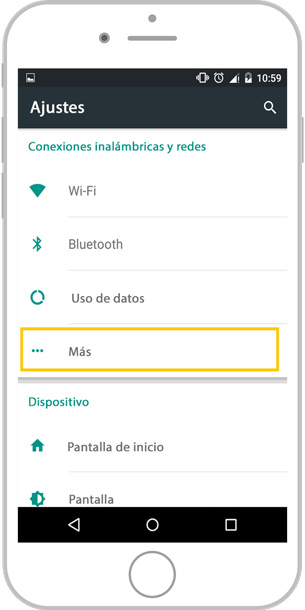
3. Under WIRELESS & NETWORKS, press MORE
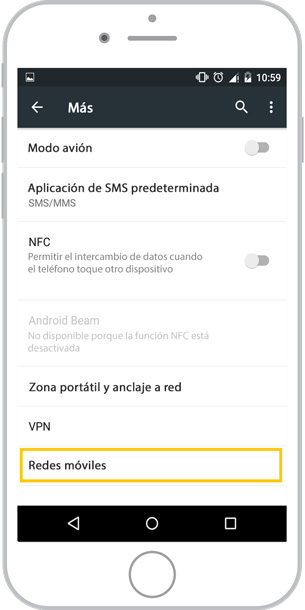
4. Press MOBILE NETWORKS
5. Press APN
6. Click on the ADD icon
7. Enter NAME: MirTelecom
8. Enter APN: inet.es
9. Select AUTHENTICATION TYPE: PAP
10. Enter APN TYPE: default, supl
11. Press SAVE